Product Designer · Full Ownership
SaaS
B2B

Why it mattered
A blocked start meant designers fell back on tape measures and manual redraws, losing hours on every project. Scans scattered across devices meant no dependable record of which plan belonged to which client or which version was current.
Executive Summary
Foyr Neo is a professional desktop design tool for interior designers. Scanning a client's room, however, needs a device you carry through the space, so a plan could rarely be ready in advance. This project designed both ends of a cross-device flow: a mobile app to scan and tag a room on site, and a desktop merge that brings that scan straight onto the design canvas.
Discovery
Research with designers revealed the core friction:
Designers were blocked before design even began. With no direct path from mobile capture to the Foyr desktop workspace, they had to piece together plans from different tools before any real work could start.
Key Product Decisions
Decision 1
Unified Mobile Capture vs Scattered Sources
Hypothesis
If designers capture rooms directly into Foyr on mobile, they eliminate dependency on external tools and client file transfers.
Why
Research showed designers juggled varied sources (client plans, on-site photos, other devices) before reaching the desktop.
Decision
Create a mobile scanning tool within Foyr that routes every capture directly into the designer's account.
Trade-off
Removed the flexibility to use any capture tool in exchange for consolidation into one system.
Decision 2
Instant Device Handshake vs Manual Consolidation
Hypothesis
If designers move captures from mobile to desktop in one step, they eliminate manual export, reorganization, and delay before designing.
Why
The broken seam between devices forced manual work before design could begin.
Decision
Pair mobile to desktop via QR code. Captures appear immediately on the desktop as a list, ready for design work.
Trade-off
Added a deliberate pairing step to eliminate all manual consolidation work.
Design Direction
Building on these decisions, the flow carries a room from a client's site to a ready desktop canvas in three moves.

1. Consolidated All Floor Plans
Designers scan rooms directly into Foyr on mobile instead of relying on external tools, photos, or client file transfers. Every capture flows into their account.

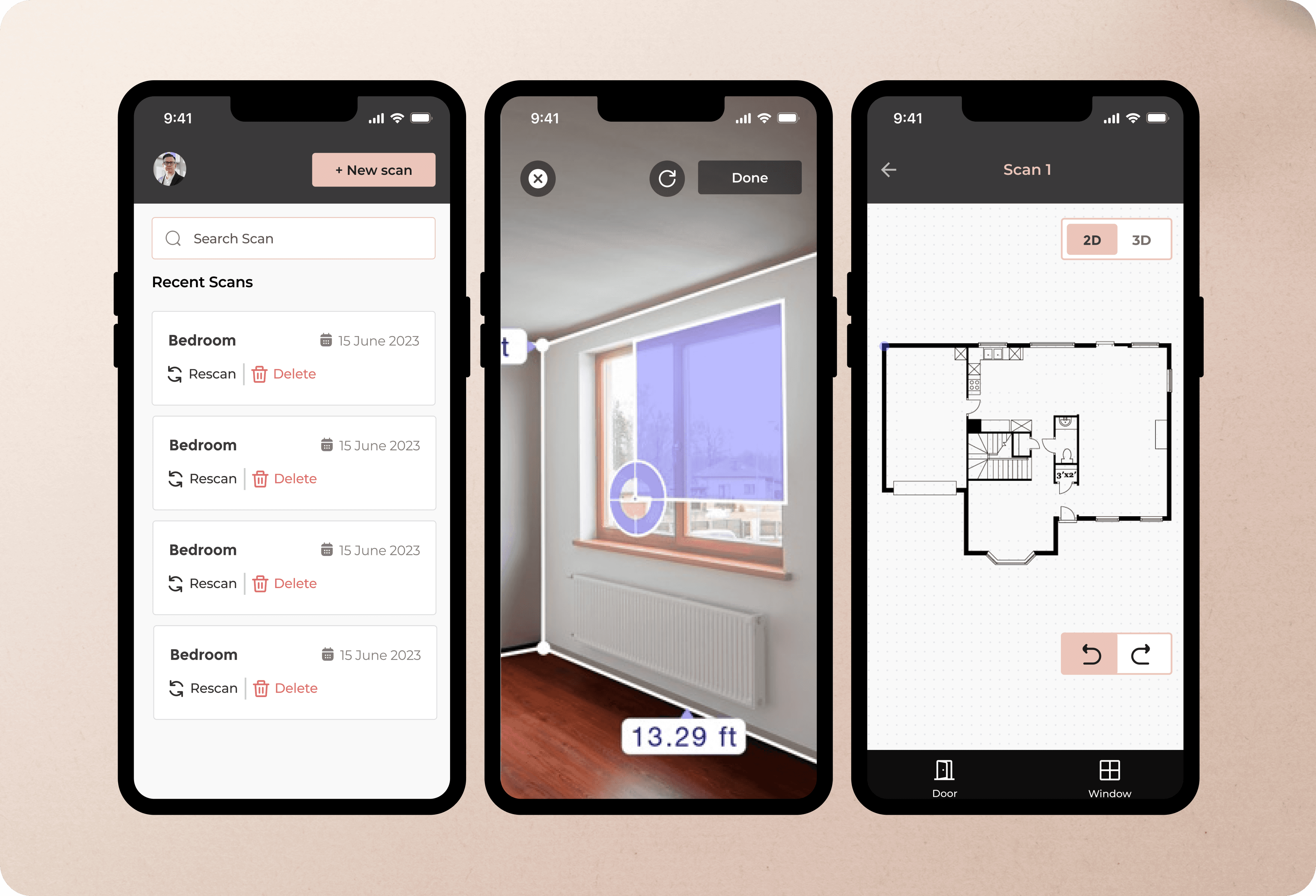
3. Centralized Capture Library
As soon as designers connect mobile to desktop via a QR code, all mobile scans appear in one list.

Outcomes
Assessed through designer workflow observation.
Workflow
The mobile scan flow eliminated dependency on external tools, photos, and client file transfers. Designers now capture directly into Foyr, consolidating varied sources into one entry point.
Continuity
The QR handshake removed manual export, reorganization, and delays. Design could begin the moment the designer sat down, instead of after piecing captures together across tools.
Confidence
Designers could trust that every mobile capture had a direct path to their desktop workspace and nothing was lost in translation between devices.